
• ABOUT ATARI ATARI City Campus
  • FACULTIES Academic Programmes
      School of Computing
      -English and Computer Studies Skill Development Program
      -Graphic Designing Program
      -Software Programming Skill Development Program
      -Business Management & Industrial Training Programme
      -UCSC Foundation IT Program (FIT)
      School of Languages
      -Spoken English Skill Development Program
      School of Business
      -AAT Program
      Primary Learning 
  • RESEARCH | NEWS Explore the Life at Atari
      Research & Articles
      What's in NEWS
      Life at Atari - Events
      Upcoming Events
      Announcements
      Awards
      Ceremonies
      QUIZ SECTION
      Student portal to participate with daily quizzes and stand a chance to win marks & gifts from Atari Campus.
  • SOCIETIES Explore Atari Clubs & Societies
      Art Circle
      Astronomical Society
      Computer Society
      Dancing Society
      Ecological Society
      Film & Drama Club
      General Knowledge Club
      History Club
      Interact Club
      Library Club
      Music Society
      Photographic Society
      Science Society
      Young Inventors Club
      Atari Empire Juniors
      Atari Sri Lanka Magazine
      What are Clubs and Societies

      Student Communities which were created by Atarians in order to improve creative ideas and reveal hidden talents.

  • CONTACT Apply for Admissions
Account

Connect with

Login with Google

Login with your site account

Connect with

Login with Google
Lost your password?

  • Computing
  • Languages
  • Business Management
  • Primary Learning
  • NEWS & Events
ATARI
  • ABOUT ATARI ATARI City Campus
  • FACULTIES Academic Programmes
      School of Computing
      -English and Computer Studies Skill Development Program
      -Graphic Designing Program
      -Software Programming Skill Development Program
      -Business Management & Industrial Training Programme
      -UCSC Foundation IT Program (FIT)
      School of Languages
      -Spoken English Skill Development Program
      School of Business
      -AAT Program
      Primary Learning 
  • RESEARCH | NEWS Explore the Life at Atari
      Research & Articles
      What's in NEWS
      Life at Atari - Events
      Upcoming Events
      Announcements
      Awards
      Ceremonies
      QUIZ SECTION
      Student portal to participate with daily quizzes and stand a chance to win marks & gifts from Atari Campus.
  • SOCIETIES Explore Atari Clubs & Societies
      Art Circle
      Astronomical Society
      Computer Society
      Dancing Society
      Ecological Society
      Film & Drama Club
      General Knowledge Club
      History Club
      Interact Club
      Library Club
      Music Society
      Photographic Society
      Science Society
      Young Inventors Club
      Atari Empire Juniors
      Atari Sri Lanka Magazine
      What are Clubs and Societies

      Student Communities which were created by Atarians in order to improve creative ideas and reveal hidden talents.

  • CONTACT Apply for Admissions

Uncategorized

  • Home
  • Blog
  • Uncategorized
  • Browser Compatibility and Tech Requirements for Razor Returns Slot in United Kingdom

Browser Compatibility and Tech Requirements for Razor Returns Slot in United Kingdom
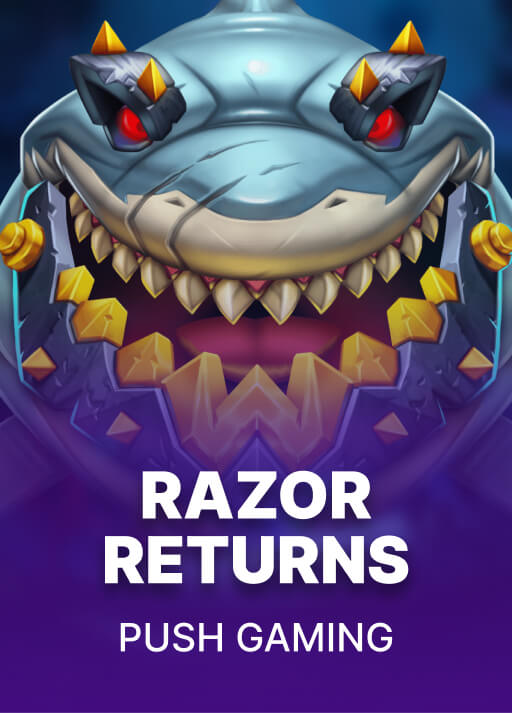
Games Listed by Casino Game Providers | Razed Crypto Casino | Razed

When playing the Razor Returns Slot in the UK, we must take into account the browser compatibility and tech specs. It’s crucial to guarantee our browsers are current and meet the minimal requirements for a seamless experience. We’ll look into the best options and what to have prepared for optimal gameplay. Let’s take a closer look at how to set ourselves up for success and avoid those annoying technical issues.

Key Takeaways

  • Use latest editions of Google Chrome, Firefox, Safari, or Edge for smooth gameplay on Razor Returns Slot.
  • Make sure a minimum of 4GB RAM and a contemporary processor for optimal performance.
  • A stable internet connection with at least 10 Mbps bandwidth is recommended to minimize lag.
  • Mobile gadgets must have current iOS or Android systems for compatibility with the game.
  • Clear browser caches and disable ad blockers to fix potential technical problems while playing.

Minimum Technical Specifications for Razor Returns

To fully enjoy Razor Returns, we need to guarantee our gadgets meet specific minimal technical specifications. First, let’s look at the least hardware requirements. A device with at least 4GB of RAM and a contemporary processor will offer a smooth gaming experience. Additionally, it’s important to have up-to-date graphics capabilities, ensuring the vibrant visuals of Razor Returns stand out.

We also can’t ignore the significance of internet speed recommendations. To have a smooth gaming experience, we should target a bandwidth of at least 10 Mbps. A reliable connection will minimize lag and improve our entire experience. By ensuring our gadgets meet these requirements, we’ll be ready to immerse ourselves in the thrilling world of Razor Returns without any problems.

Supported Browsers for Optimal Gameplay

While experiencing Razor Returns, selecting the right browser is vital for superb gameplay. We want to make certain that our experience is seamless and engaging, which is why utilizing up-to-date browser versions is a must. Well-known browsers like Chrome, Firefox, Safari, and Edge regularly deliver excellent gameplay features, boosting graphics and loading times. We advise maintaining these browsers updated to avoid bugs that could disrupt our sessions. Additionally, being aware about any recent browser releases can assist us choose the ideal choices for our gameplay. By opting for the optimal browser setup, we enhance our enjoyment of Razor Returns, guaranteeing every spin feels seamless and exciting. Let’s plunge into the action without any glitches!

Mobile Compatibility and Requirements

As we experience Razor Returns on our mobile devices, securing compatibility and satisfying particular requirements is vital for an outstanding experience. Here’s what we need to consider for optimal mobile device optimization:

  1. Responsive Game Design
  2. Operating System Requirements
  3. Stable Internet Connection

Troubleshooting Common Technical Issues

Even when we implement all the required steps to optimize our mobile experience for Razor Returns, technical issues can still arise. If we face error messages, they’re often symptoms of deeper problems. First, let’s check our internet connection. Slow or unstable connections can result in frustrating interruptions. If we’re facing connection issues, resetting our router or switching to a different network may help.

Also, making sure our browser is updated is essential, as outdated versions can produce errors. Deleting the browser cache and disabling ad blockers can often remedy these glitches. If we still can’t access Razor Returns, contacting customer support is the next reasonable step. They’re prepared to help us fix specific issues successfully.

Tips for Enhancing Your Gaming Experience

How can we create a more enjoyable gaming experience when playing Razor Returns? Here are some tips that can elevate our gameplay!

  1. Familiarize yourself with the user interface
  2. Implement effective gaming strategies
  3. Take breaks to refresh

Conclusion

To summarize, to fully appreciate Razor Returns Slot, we need to make sure our browsers and devices meet the recommended specifications. Supported browsers like Google Chrome, Mozilla Firefox, Safari, or Microsoft Edge, along with up-to-date hardware, are key for seamless gameplay. Mobile compatibility makes it easy for us to play on the go, and addressing technical issues quickly can improve our experience. By adhering to these guidelines, we can optimize our gaming sessions and have a great time playing!

  • Share:
Site Admin

Previous post

Jet4Bet Casino – Start Gaming Immediately on Casino Platform in Australia
July 13, 2026

Next post

La compétition s'intensifie : Mostbet Casino annonce un tournoi remarquable au Canada
July 13, 2026

Leave A Reply Cancel reply

Your email address will not be published. Required fields are marked *

Cyber Security and Ethical Hacking Program

Cyber Security and Ethical Hacking Program

Free
Software Programming Skill Development Program

Software Programming Skill Development Program

Free
English and Computer Studies Skill Development Program

English and Computer Studies Skill Development Program

Free

Featured Posts

Para os Jogadores Mobile em Portugal no Wonaco Casino
24Jul2026
Evoluzione dell’App Betamo Casino Modernizza il Software per Dispositivi Mobili per gli Giocatori Italiani
26Jun2026
Το Great Slots Casino: Το Καζίνο που Καταλαβαίνει τον Έλληνα Χρήστη και τις Ανάγκες του
03Jul2026

CHOOSE ATARI CITY LIFE

To embark on the journey towards your goals!

ATARI FACULTIES

-School of Computing
-School of Languages
-School of Business Mgt
-Primary Learning

OTHER LINKS

-About Us
-Contact Us
-Life at Atari
-Atari Clubs & Societies

CONTACT US

Hotline : +94 112 690 390
+94 710 11 11 21

E-Mail : info@atari.lk

No : 1145 , Maradana Road , Colombo 08 , Sri Lanka

CONNECT with US

All rights reserved by Atari City Campus. Developed by Atari School of Computing.